Module 15: Database Fundamentals - Relational Data Modeling
15-1: Anatomy of a Database
Entity
- A thing or object that have independent existence.
- Can have physical existence or conceptual existence only.
- Represents people, things, events, locations or concepts within the Target System.
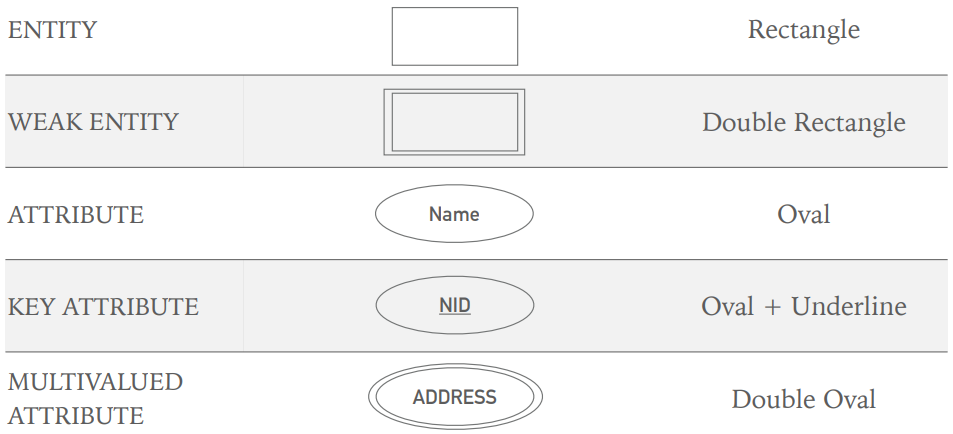
- In ER Diagram, represented with a Rectangle.
Example: Student, Course, Enrollment, etc.
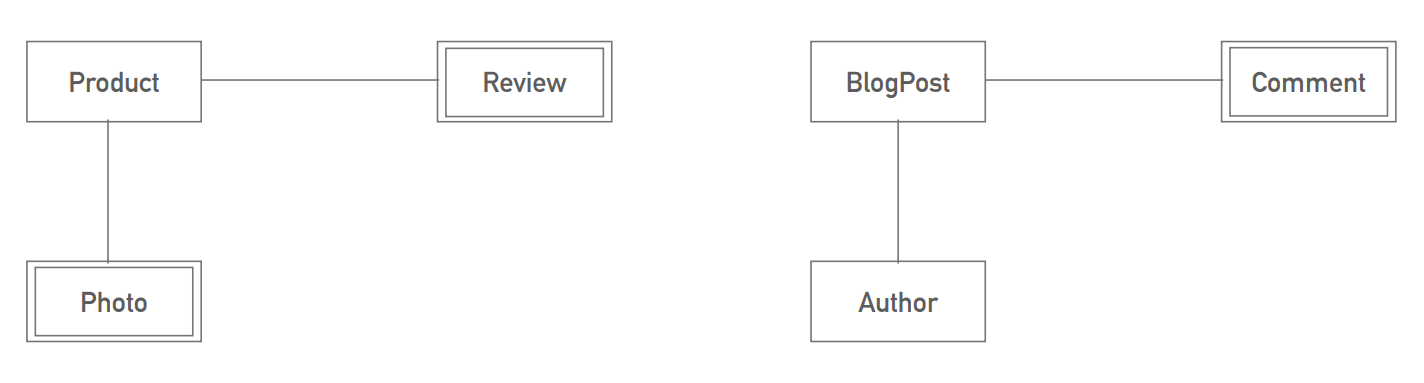
Weak Entity
- Do not have independent existence.
- Always connected and dependent on other (Strong) entities.
- May not have a key attribute.
- Represented using a double rectangle.
Example: Enrollment, etc.
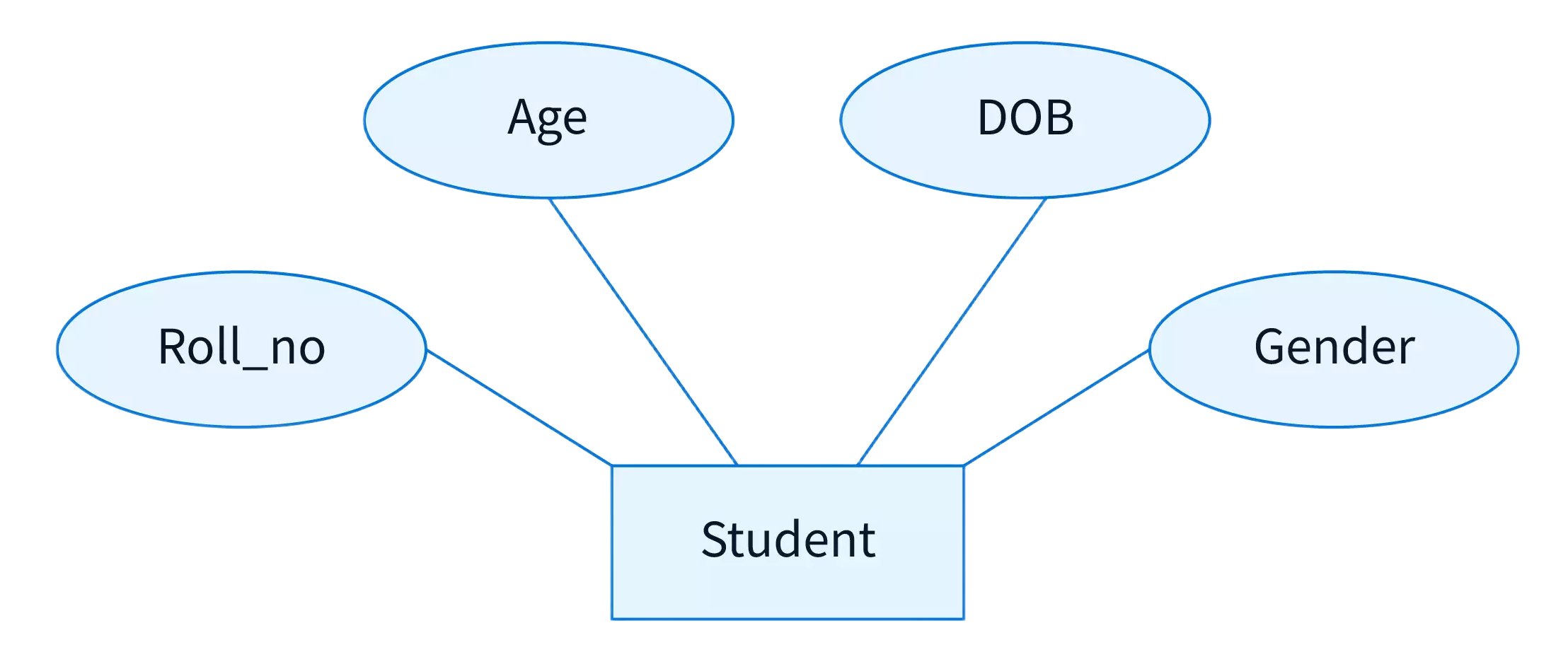
Attributes
- Properties that describe an entity.
- These information or properties are required to operate the Target System.
- Represented with an Oval in ER Diagram.
Attributes - Simple and Composite
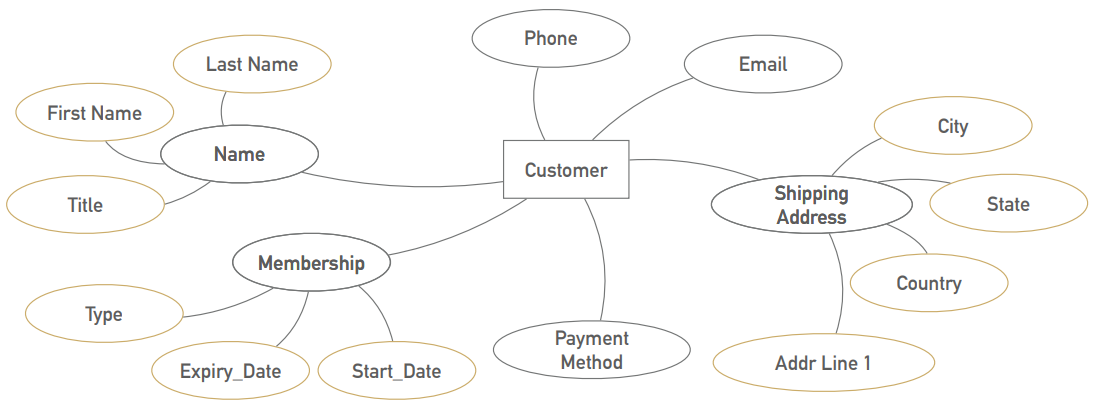
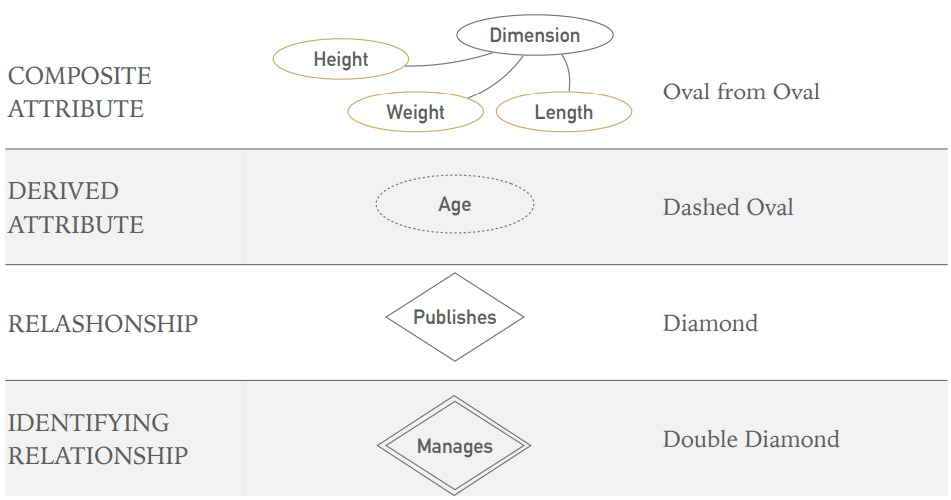
- Composite: Can be divided into smaller parts. Example: Address, Name
- Simple: Cannot be divided: age, email, age
Attributes - Single-Valued and Multi-Valued
- Single-Valued: Can have only one value. Age
- Multi-Valued: Can have a set of values: Educational Certificate Use double oval for multi-valued attributes.
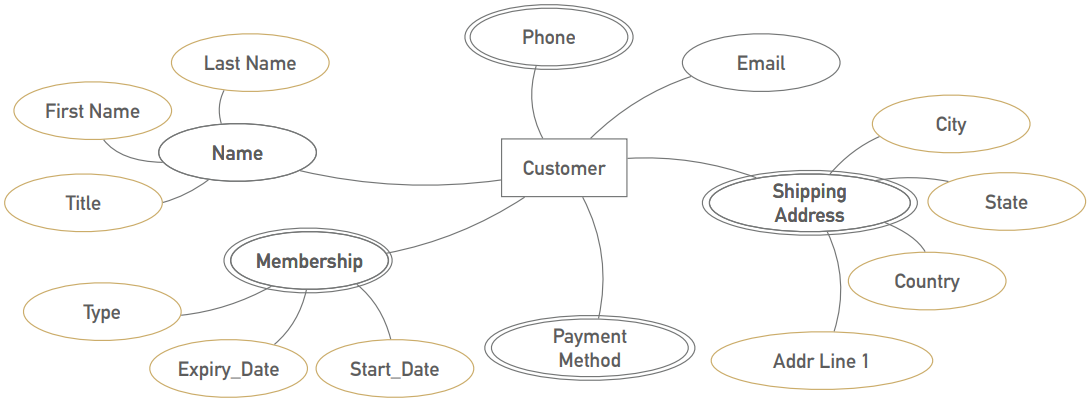
Attributes -Complex
Complex = Composite + Multi-Valued
Shipping Address(City, State, Country, Addr Line 1)
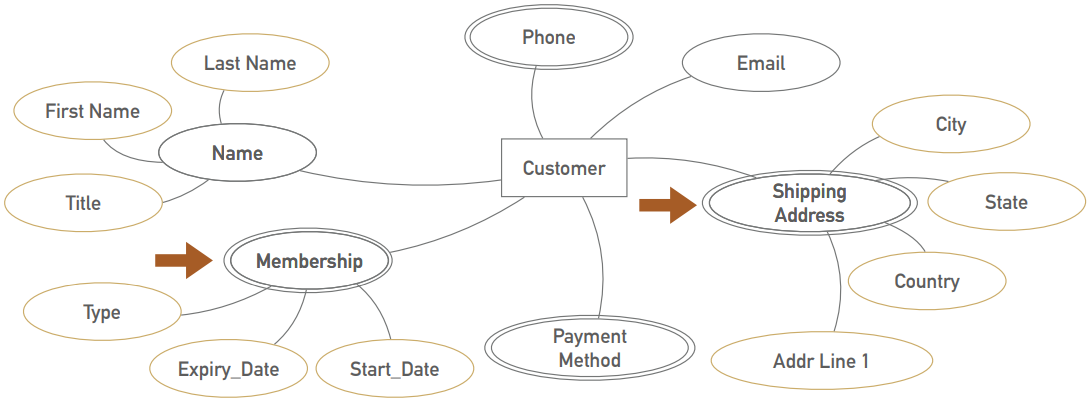
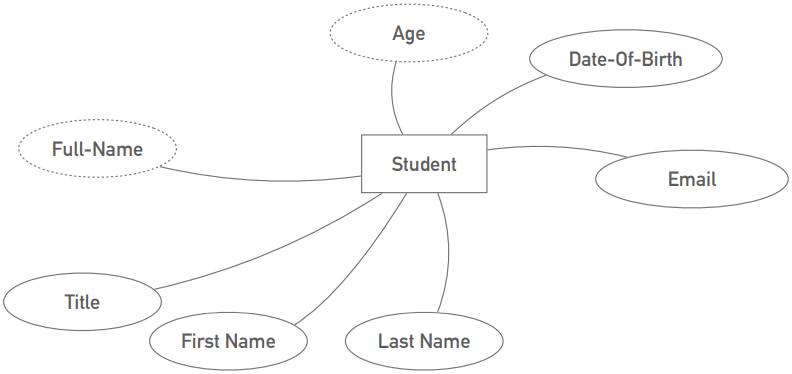
Attributes - Derived and stored
- Stored: Independent information. Need to stored. e.g Date of Birth
- Derived: Can/should be calculated from other attributes. e.g Age, Full-Name
Attributes - Key Attributes
Attribute that identifies Entity uniquely - NID, Roll Number
- Primary Key: The key attribute that is used to refer an Entity uniquely. e.g. NID, Student ID
- Candidate Key: Key attributes other than Primary Key.
- Composite Key: Primary key that was build with multiple attributes. e.g. ISBN+Member-ID
Attributes - Null Values
When an attribute value -
- Don't exists
- Existence Unknown
- Exists but missing
Relationship
- Describes purpose connection between entities
- Represented with a Diamond in ER Diagram
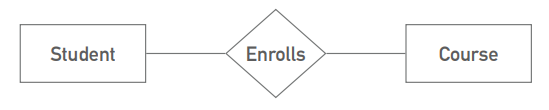
Relationship - Degree of Relationship
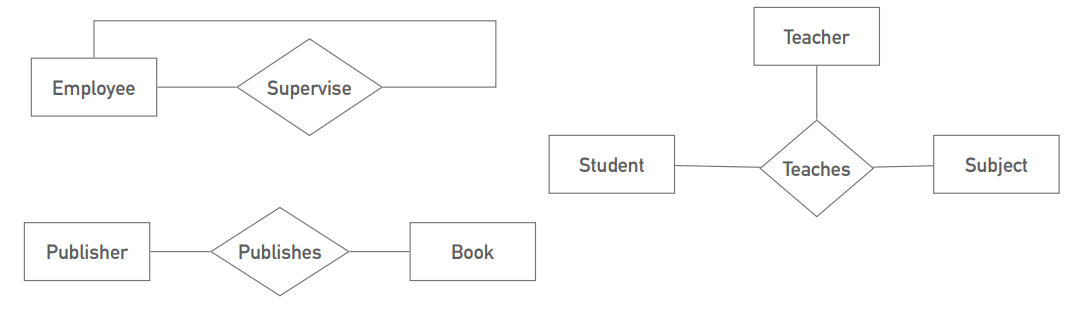
- Unary: Linked to the Entity Type. e.g. Employee supervises Employee
- Binary: Association among two entities. e.g. Publisher publishes Book
- Ternary: Primary key that was build with multiple attributes. e.g. Teacher teaches Subject to Student
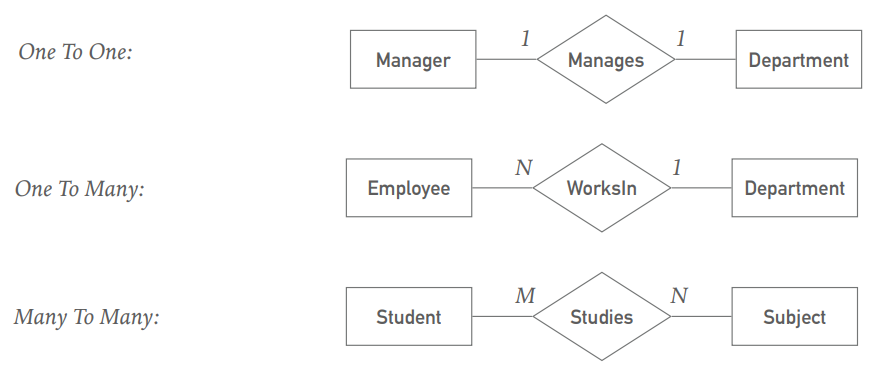
Relationship - Cardinality Ratio
One To One, One To Many, Many To Many
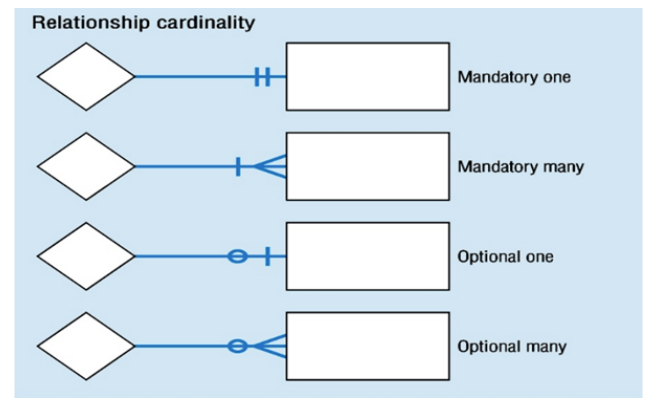
Relationship - Cardinality Ratio (Crows Foot)
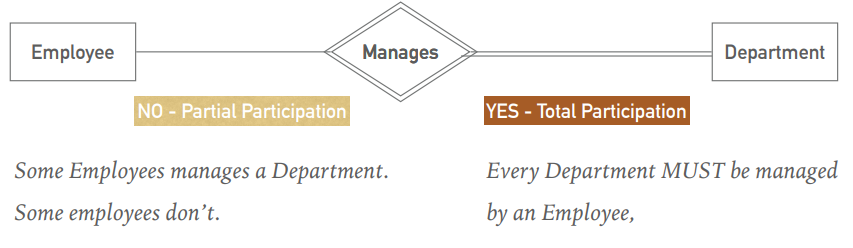
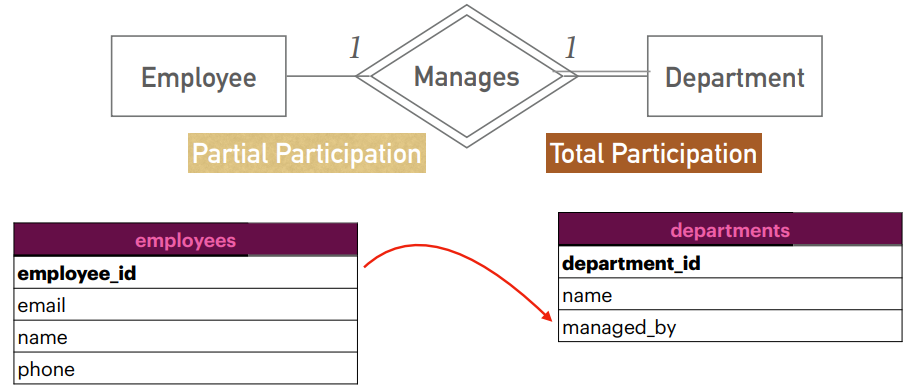
Relationship - Participation Constraints
Do All entities participate in the relationship?
- Total Participation: All entities must participate in the relationship.
- Partial Participation: Some entities may not participate in the relationship.
Relationship - Associative/Intersection Entity
- Generally occurs in Many to Many and Ternary relationships
- Can have unique identifier and other attributes
- Can have independent meaning
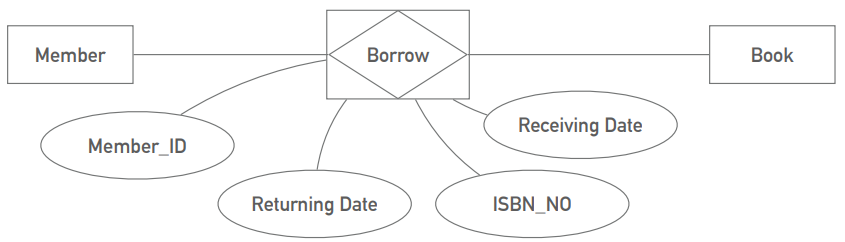
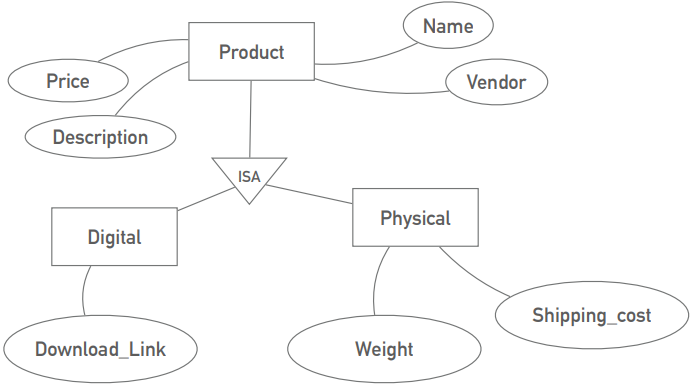
Relationship - Generalization/Specialization
- Generalization: An entity type that represents a general concept at a higher level.(Superclass)
- Specialization: An entity type that represents a specific concept at a lower level.(Subclass)
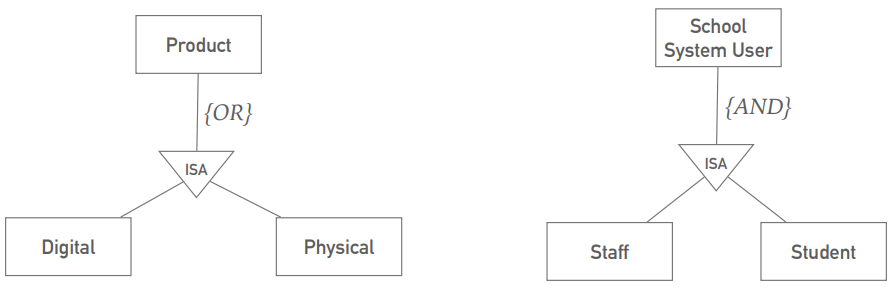
Relationship - Disjoint/Overlapping
- Disjoint: An entity occurrence can be a member of only one subclass.(OR)
- Overlapping: An entity occurrence can be a member of more then one of the subclasses.(AND)
Relationship - One To One Relationship
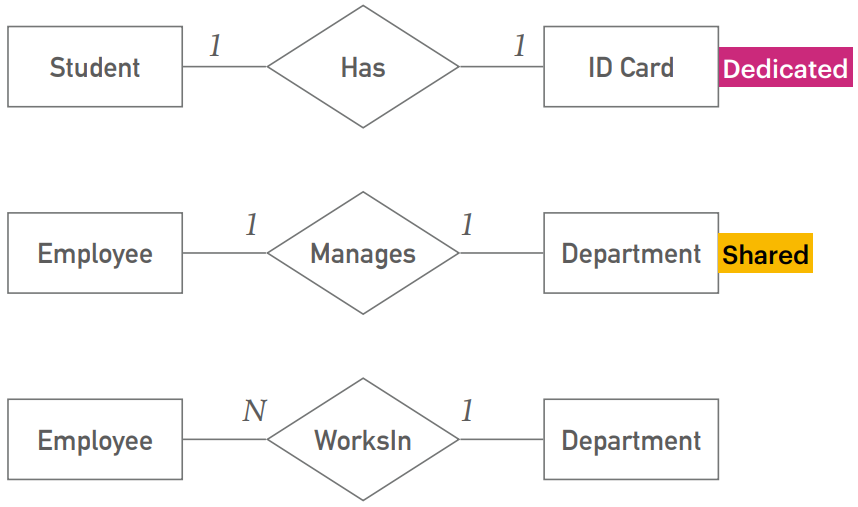
There are two types of one to one relationship. Dedicated and Shared.
-
Dedicated: Dedicated for a Entity and not multi-valued. It may looks like an Entity but It is a composite attribute. Ex. ID Card
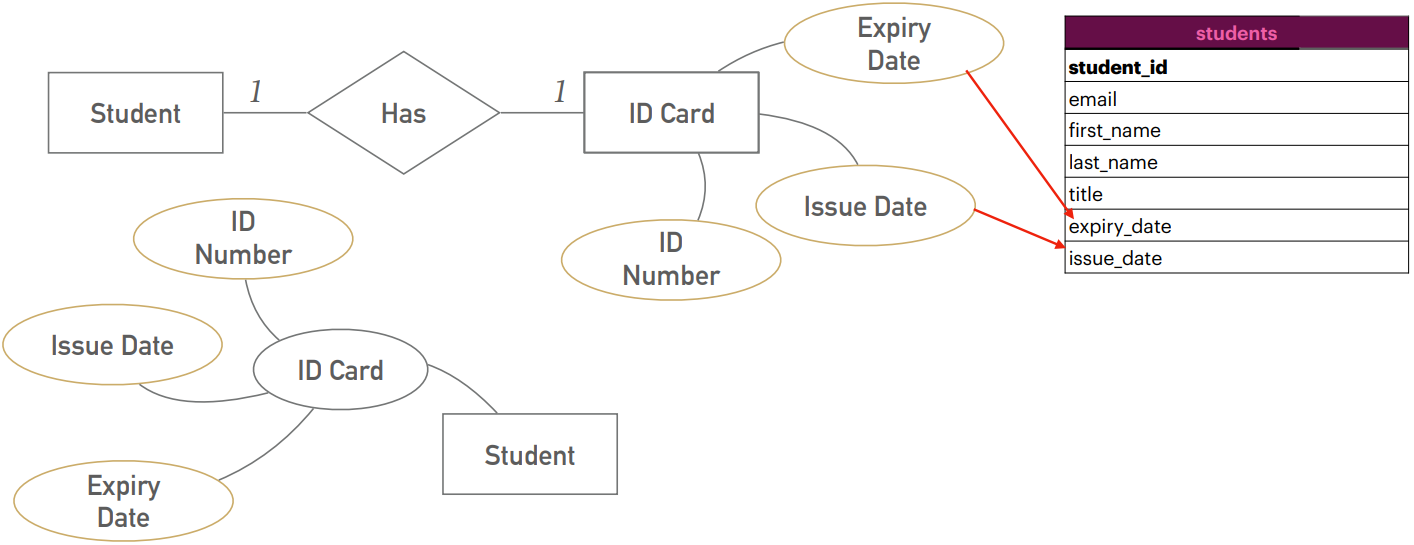
-
Shared: Its not dedicated and also it can one to many for other relation. When design schema we will check which side of relation's entity has total participation. Then we will keep other side of Partial participation's entity's id as foreign key in Total participation's entity.
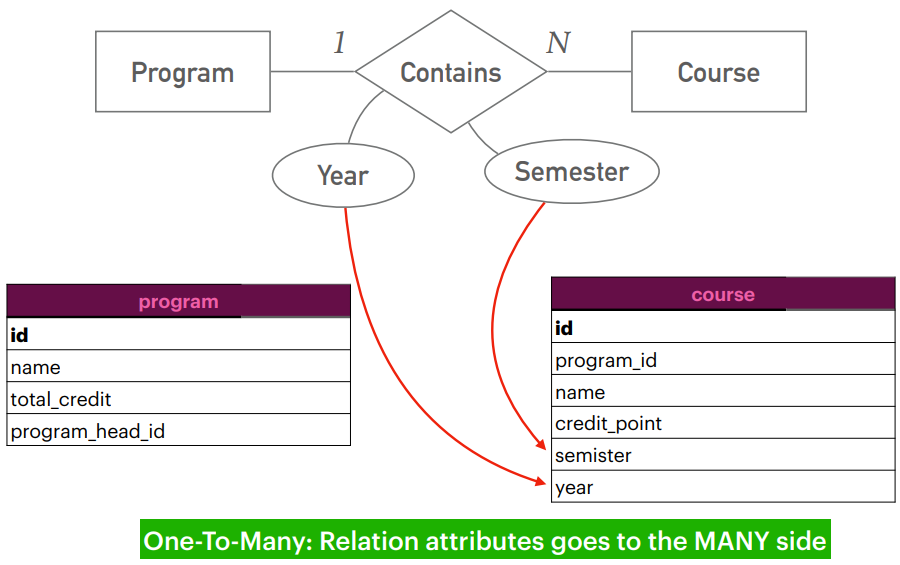
Relationship - One To Many Relationship
For this relationship, we will keep the foreign key in the many side of the relationship. And if its' relationship has any attributes it will goes to many side of the relationship's table.
Relationship - Many To Many Relationship
If the relationship has associative entity, we will create a join table for that. And keep the foreign keys of the other two entities in the join table. And make primary key of the join table from the foreign keys. which is called composite key.And all the attributes of the associative entity will go to the join table.
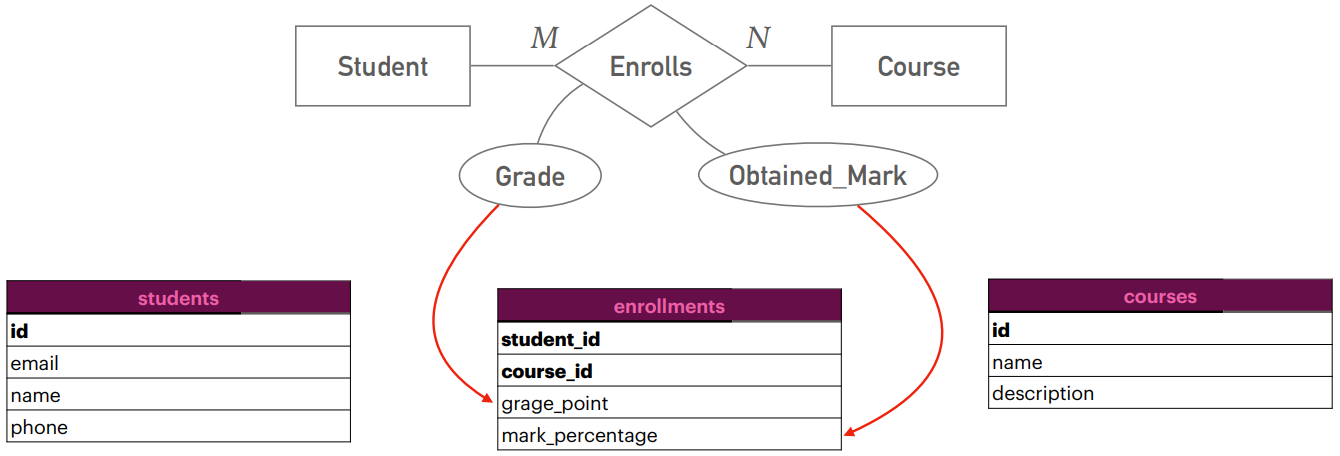
Diagram Notations
How RDBMS Represents Data
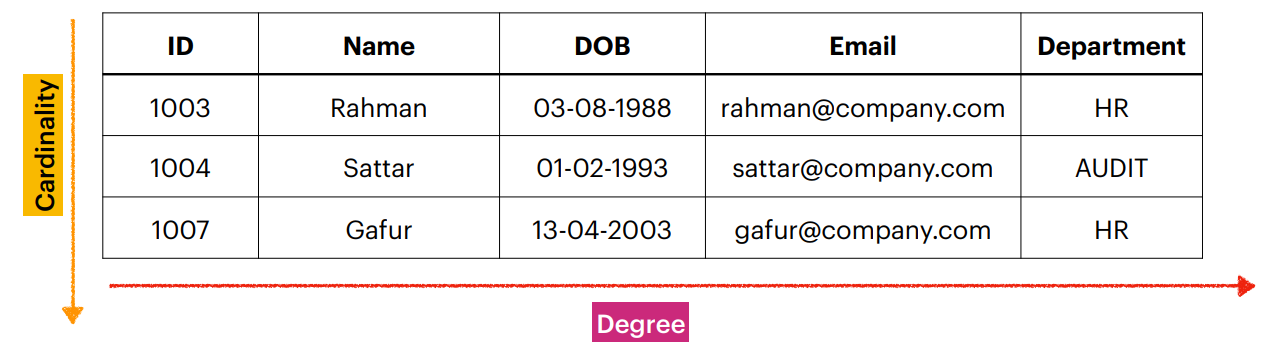
- Table: A collection of data elements organized in terms of rows and columns.
- Row: A single entry in a table (AKA: Tuple, Record)
- Attribute: A distinct piece of information in a record (AKA: Field, Column)
- Column: A list of values belonging to a particular field.
- Degree of a Table: Number of columns in a table.
- Cardinality of a Table: Number of rows in a table.